Set up authentication and run your first CLI command.
After installing the Versori CLI, follow these steps to authenticate and start managing your resources.
1
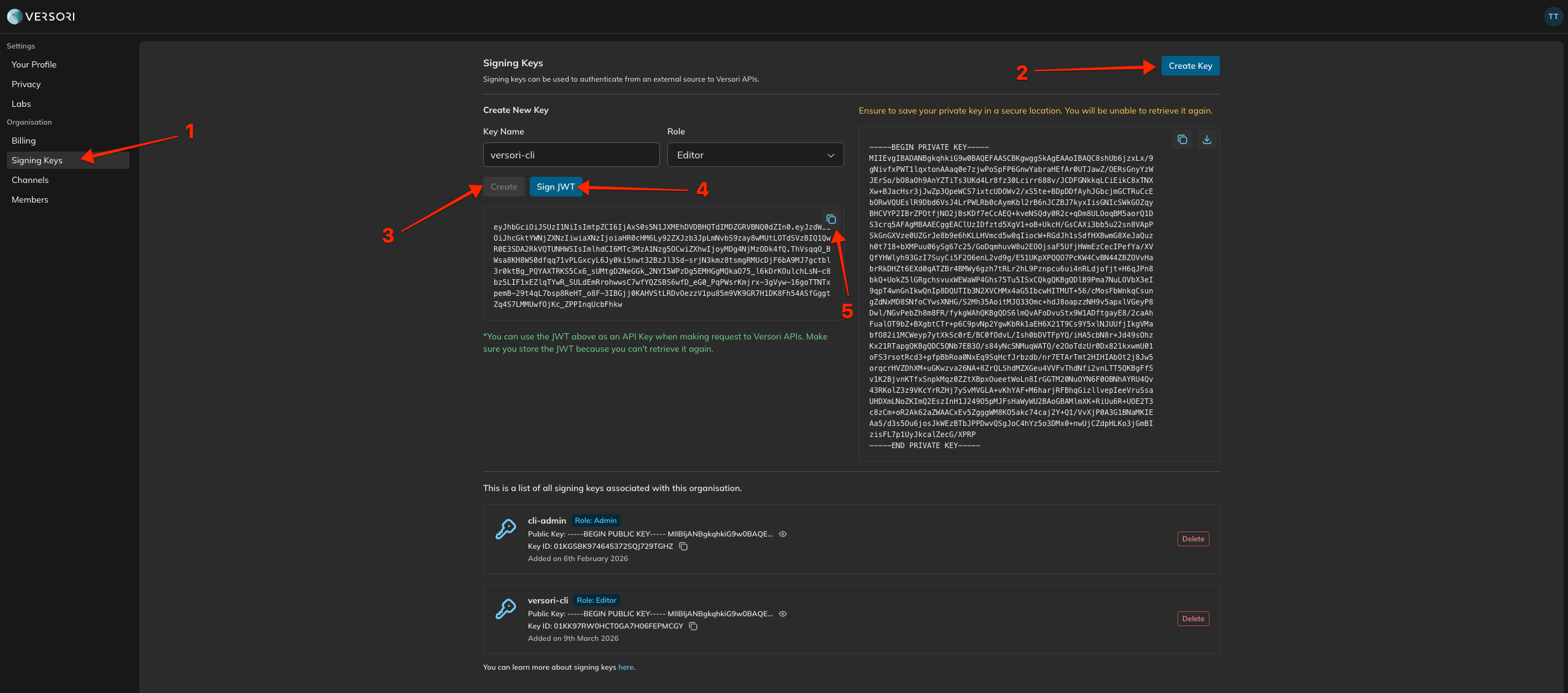
Generate a JWT for the CLI
Generate a JWT token from the Versori console for the organisation you want to manage.
Generating a JWT for the CLI
2
Add a context
A context stores your authentication credentials for an organisation. You need a JWT token generated from the Versori console for the organisation you want to manage.